
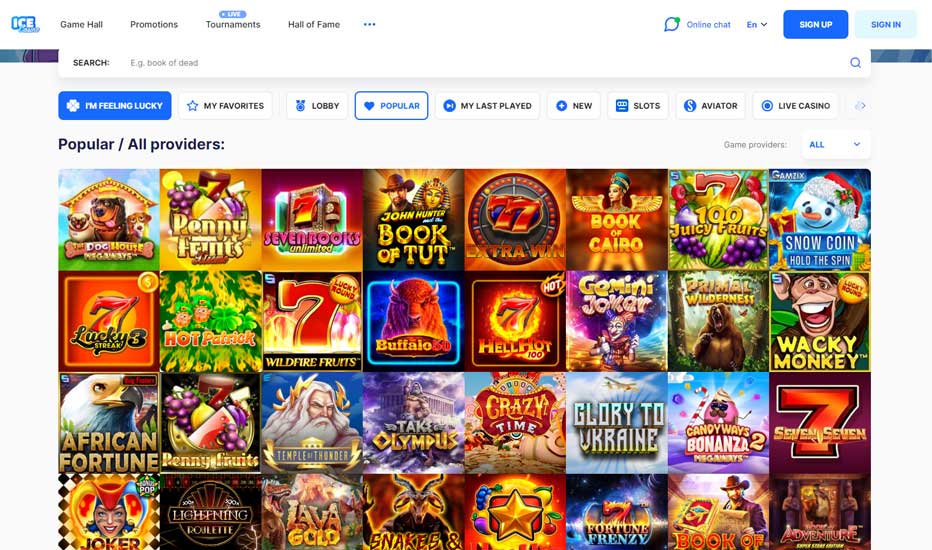
The Ice Casino app in the United Kingdom boasts an remarkable range of interface customization options. These features let users tailor their gaming experience with personal touches, https://ice-fishing-live.com/app/, from selecting themes and color schemes to organizing game layouts. Improved navigation and sound adjustments further enable players to shape their in-app journey. Such a high level of autonomy guarantees that their engagement reaches new heights, making personalization more than just a preference, but a key component of their experience.
Customize Your App Theme
The Ice Casino App offers several vibrant options for users interested in personalizing their app theme. These customization features cater to individuals with a desire to uniquely tailor their digital experience, ensuring their virtual space reflects personal taste and style.
With a user-friendly interface, users can access various settings that enable them to alter the app’s appearance to match their individual flair. From adjusting layouts to selecting unique backgrounds, Ice Casino provides tools that break the confines of a one-size-fits-all design.
Personalize Color Schemes
Beyond personalizing the app theme, users can further express their individuality by customizing color schemes. This feature allows players to infuse their digital environment with vibrant hues that resonate with their unique taste. By selecting from a broad palette, individuals can craft a visual experience that mirrors their personality and mood.
The option to adjust colors liberates users from the constraints of standard interfaces, offering a sense of artistic autonomy as they explore the Ice Casino app. For those who view their virtual space as an extension of self-expression, the ability to alter color schemes elevates their experience.
Whether opting for calm blues or vibrant reds, users can enjoy a tailored interface that improves engagement and offers a aesthetically pleasing domain of entertainment.
Organize Game Layouts
Structuring game layouts boosts user control and satisfaction within the Ice Casino app.
This feature offers users the freedom to customize their gaming experience by arranging how games are displayed. Users can sort games by type, popularity, or even personal preference, enabling quick access to favorites or new discoveries.
With adaptable layouts, players are not bound by default settings, granting independence and boosting their interactive freedom. The ability to group or accentuate sections allows for a customized viewing experience, aligning with individual gaming habits.
This organization encourages a fluid interface, where users can plunge directly into their games of choice without unnecessary scrolling, thereby enhancing overall engagement and enjoyment within the app.
Adjust Navigation Options
Ice Casino users have the option to adjust the app’s navigation to enhance their gaming experience.
By tailoring the sidebar layout, players can access their favorite features more easily, while refining the menu structure guarantees a smooth journey through the app’s offerings.
These navigation modifications aim to provide a more user-friendly and easy-to-use interface for all players.
Customize Sidebar Layout
Although users often seek personalization in their digital experiences, the Ice Casino app provides a simple method to improve engagement by tailoring the sidebar layout.
This feature enables users to personalize their navigation experience, aligning with their personal preferences and boosting accessibility. Altering icons and labels allows users to focus on functions most relevant to them, ensuring easy access to favorite games or account settings.
The adaptability to change the layout shows an internal design philosophy focusing on user freedom, enabling individuals to traverse and examine on their conditions. This freedom improves the user’s command over their digital space, granting a sense of possession.
As a consequence, the app’s versatility becomes demonstration of user-oriented design, promoting a smooth and personalized casino experience.
Optimize Menu Structure
Improving the navigation process within the Ice Casino app entails streamlining the menu layout, which can considerably influence the user’s overall experience.
An streamlined menu reduces chaos and bewilderment, enabling users with distinct paths to their chosen destinations. Carefully arranged parts enable smooth navigation, ensuring players can promptly reach games, promotions, and account preferences without being caught in superfluous options.
By embracing a streamlined design, the app gives users the ability to investigate on their terms, unimpeded by convoluted navigation.
Applying user-friendly symbols and highlighted shortcuts further simplifies usability, adding to a seamless and gratifying adventure. Therefore, this customized strategy acknowledges individual tastes, establishing a environment where players can indulge their casino activities unhindered by confining UI architecture.
Modify Sound Settings
Users can effortlessly adjust their casino journey by adjusting sound preferences within the Ice Casino App. Understanding the different sound tastes of individuals, the app permits users to change between various sound options.
From lively, immersive in-game audio to more soft sounds or total quiet, the adjustment of sound environment enables users to govern their casino setting. Whether they desire to immerse themselves fully or engage discreetly, the Ice Casino App adjusts fluidly to their choices.
The easy-to-use interface guarantees that modifying these settings is straightforward, providing flexibility without clunky navigation. By modifying sound attributes, users wield control over their experience, allowing each gaming session to become a distinctively personalized encounter.
The Ice Casino App acknowledges this aspiration for self-governance, offering a freeing array of sound customization options.
Customize Notification Preferences
Sound customization isn’t the only feature enabling personalization within the Ice Casino App; notification preferences also offer adaptable settings to enhance user control.
Users desiring autonomy can tweak their mobile interactions to suit their unique preferences. The app allows modifications to notifications, making sure that users receive only pertinent updates. This freedom allows them to control alerts without being overwhelmed.
Consider the customizable choices:
- Select notification types
- Set quiet hours
- Priority alerts
- Vibration settings
- Snooze notifications
These customized notification options within the Ice Casino App grant users to enjoy a more seamless experience by focusing on what truly is important to them.
Create a Personalized Player Profile
While using the Ice Casino App, players have the ability to develop a personalized player profile, offering a individual interactive experience. This feature empowers users to express their individuality by customizing avatars, selecting unique themes, and curating playlists.
These customization options allow players to customize their gaming experience to suit their likes, enhancing their sense of autonomy within the app.
The development of a customized profile also allows users to monitor their gaming accomplishments and metrics, providing them with informative knowledge into their advancement.
By offering a sense of ownership over their gaming experience, the Ice Casino App serves those who value freedom and self-expression.
Enhanced by intuitive design, these customization options guarantee an engaging and tailored user journey for every user.
Frequently Asked Questions
How Can I Update the App Without Losing My Current Customizations?
Upgrading without losing custom settings often requires features like backing up preferences or auto save features. Players should look for freedom in app updates, making sure versions allow for seamless continuity while preserving their personalized choices, maintaining ease and familiarity.
Is It Possible to Share My Customizations With Friends?
Exchanging app customizations allows players, fostering a network of creativity and individuality. Players can exchange customization settings through available features or external platforms, cultivating a sense of liberty and cooperation among like-minded individuals.
Can I Revert Back to Default Settings After Customization?
Yes, players can revert to original settings after personalization. https://www.ibisworld.com/united-states/market-size/online-hotel-booking/5112/ This flexibility guarantees they have the freedom to explore without the concern of lasting changes, encouraging a freeing experience tailored to their changing needs and needs.
Will Customization Affect the App’s Performance or Speed?
Customizing an app might impact its performance or loading speed based on the degree of changes and device specifications. Users desiring digital autonomy should harmonize personalization with functionality, guaranteeing a high-quality experience while maintaining freedom and performance.
Are There Any Tutorials Available for Advanced Customization Options?
Tutorials allowing users to investigate advanced customization possibilities are available. These resources accommodate individuals who excel in personalizing their digital experiences, encouraging creativity and autonomy, while ensuring they traverse options without diminishing the app’s seamless functionality.